Developer bit
Take control of query parameterization in EF 9
In Entity Framework 9 we will have more control on how parameters and constants are used within the generated SQL queries. Using the two new methods...
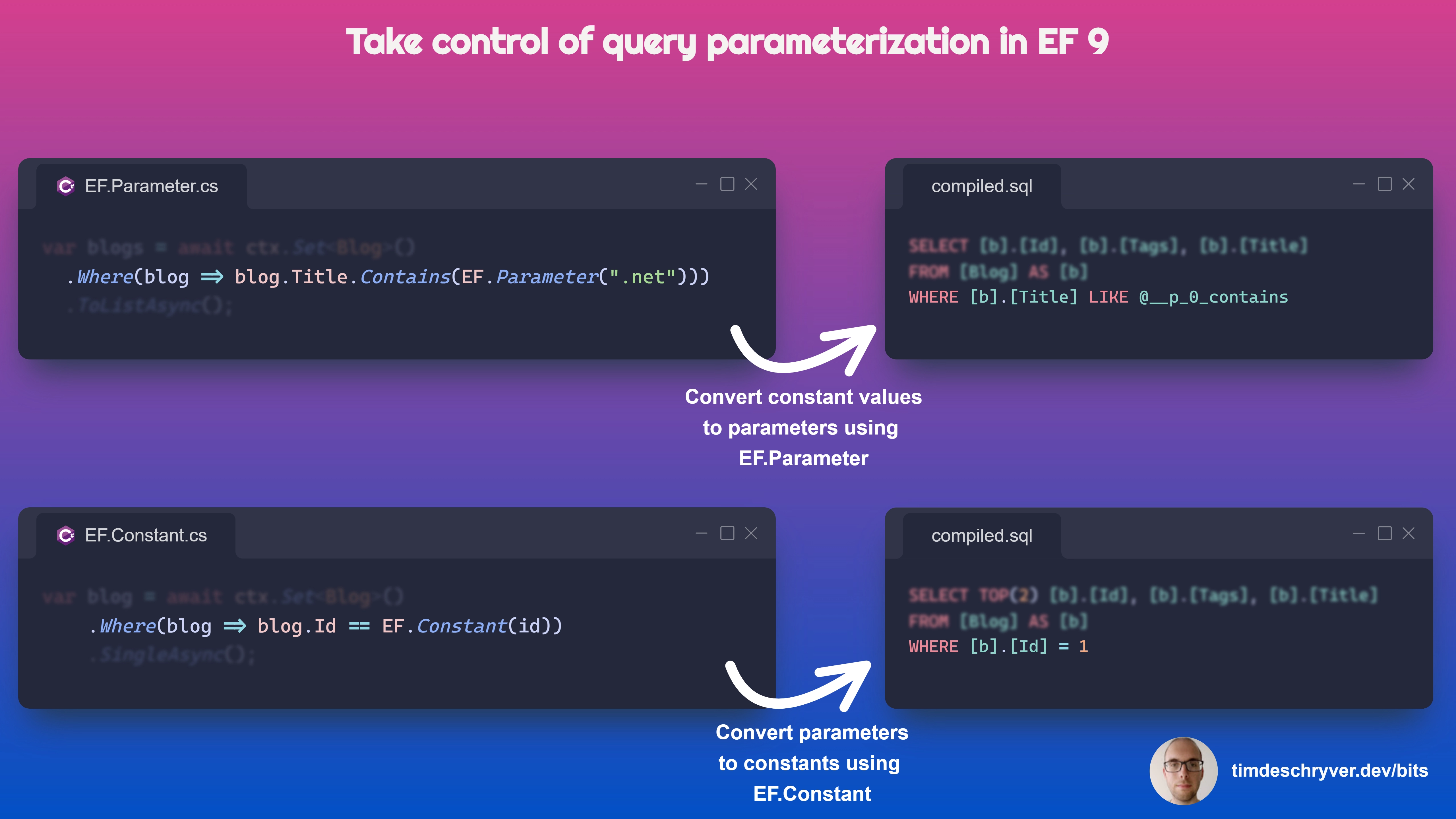
In Entity Framework 9 we will have more control on how parameters and constants are used within the generated SQL queries.
Using the two new methods EF.Parameter and EF.Constant you can decide on how the query parameters are generated, which is useful when you want to force or prevent query parameterization.
EF.Parameteris used to indicate that the parameter should be used as a parameter in the generated SQL query.EF.Constantis used to indicate that the parameter should be used as an inline constant in the generated SQL query.
This feature makes it easier to manage the query plans that are created, and thus can help to improve the performance of your queries and application.
For more information, see the "What's New in EF Core 9" documentation.
Feel free to update this developer bit on GitHub, thanks in advance!