Http Files
.http files are a simple way to quickly invoke your API endpoints because you don't have to leave your IDE to use a separate tool. I use it regularly when...
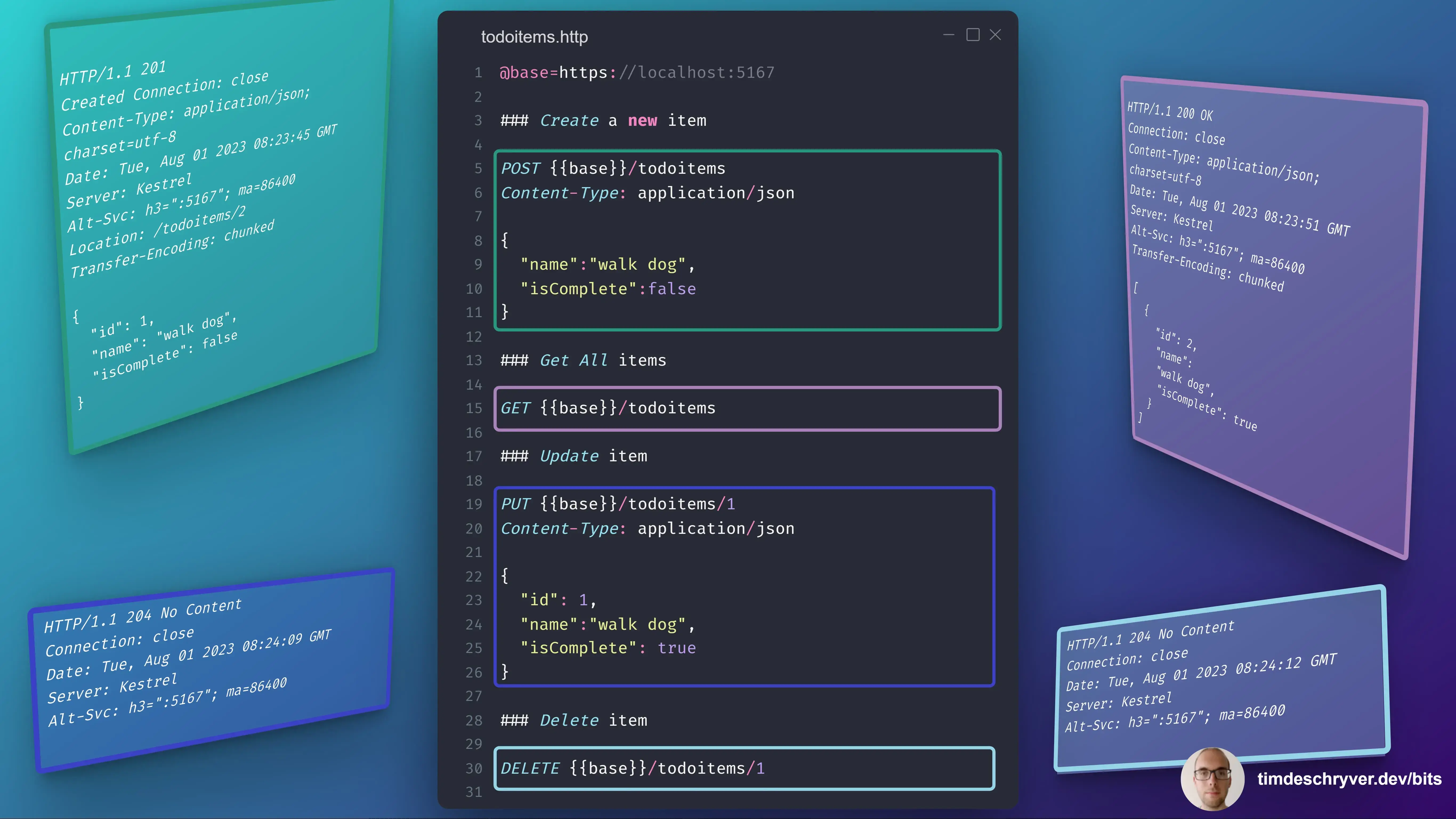
.http files are a simple way to quickly invoke your API endpoints because you don't have to leave your IDE to use a separate tool.
I use it regularly when I'm building a new feature.
You can commit this file to your repository so that your teammates can also make use of it!
HTTP files are supported by most IDEs (for Visual Studio Code, you'll have to install the REST Client extensions), the only caveat is that the variables syntax is (currently) different between Visual Studio products and JetBrains products.
Here's an example of a .http file for a Todo API:
todoitems.http
For more information, check out the documentation for the various IDEs:
Feel free to update this developer bit on GitHub, thanks in advance!