An improved content projection experience with fallback content
In Angular 18 you will be able to specify fallback content for ng-content slots. This feature allows you to define default content within ng-content tags, if...
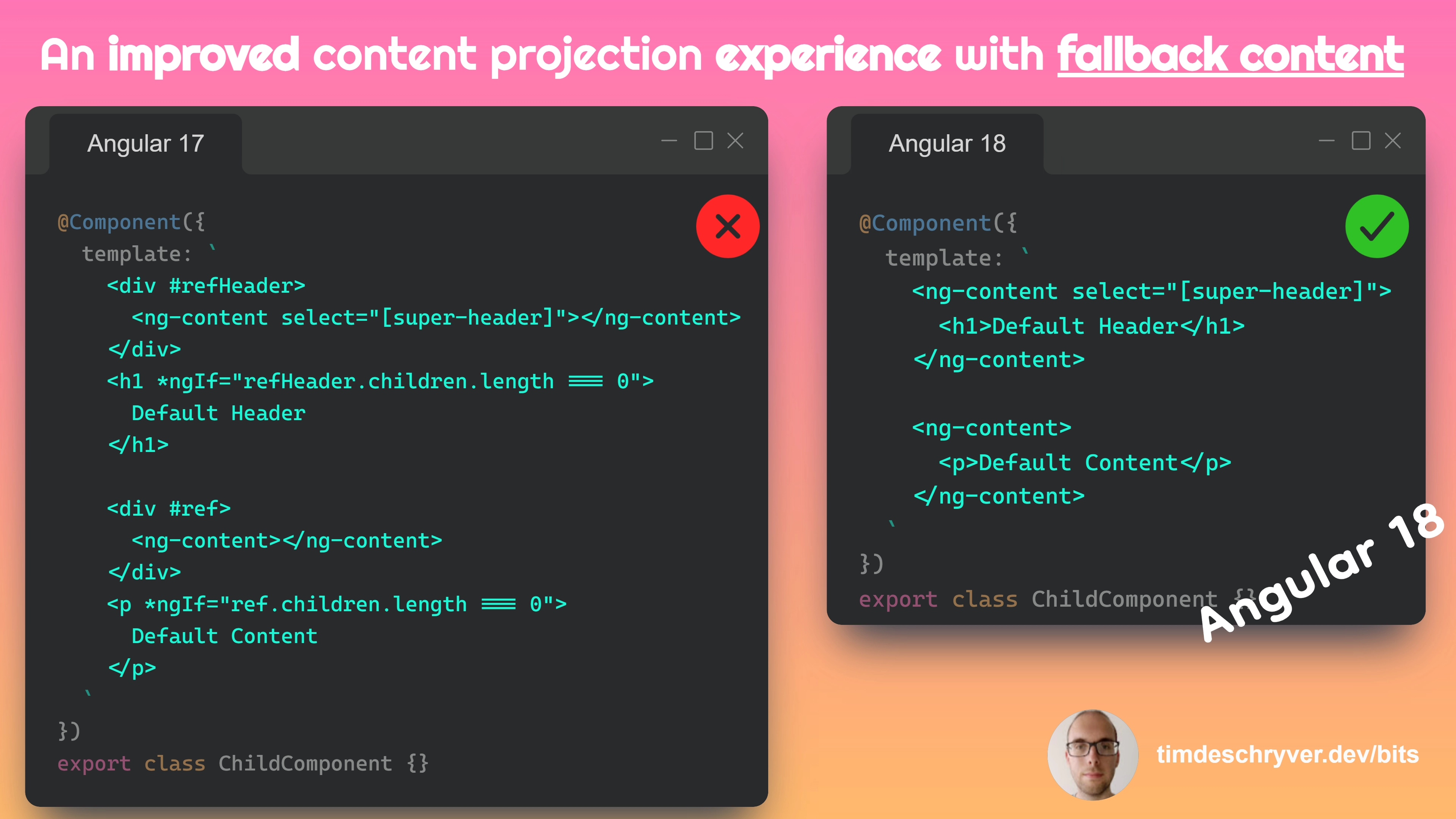
In Angular 18 you will be able to specify fallback content for ng-content slots. This feature allows you to define default content within ng-content tags, if no content is projected into these slots then the specified default content will be displayed.
In previous versions this was also possible, but included a hacky workaround to make this work. This hack involves using a directive to check if the projected content is empty and then conditionally rendering the default content. This approach is not ideal as it requires additional code that's hard to read and can be error-prone.
child.component.html
parent.component.html
rendered.html
Feel free to update this developer bit on GitHub, thanks in advance!